Buying Guide · 11 min read
How to Set Up a Permanent QR Code in 5 Steps Without Monthly Subscriptions
Learn how to set up a permanent dynamic QR code in 5 steps without monthly fees. Compare static vs dynamic and avoid broken links on printed packaging.
TL;DR
- ·Printed QR codes rarely fail optically; they fail when subscription-based redirect servers deactivate after billing lapses.
- ·Static codes are permanent but uneditable; traditional SaaS dynamic codes are editable but charge $120–$600+/year indefinitely.
- ·Permanent dynamic QR codes combine post-print editing with a single $49 one-time payment and zero subscription fees.
- ·Follow 5 setup steps: choose static vs dynamic, audit post-payment terms, pick a permanent host, export vector files (SVG/PDF), and test physical proofs.
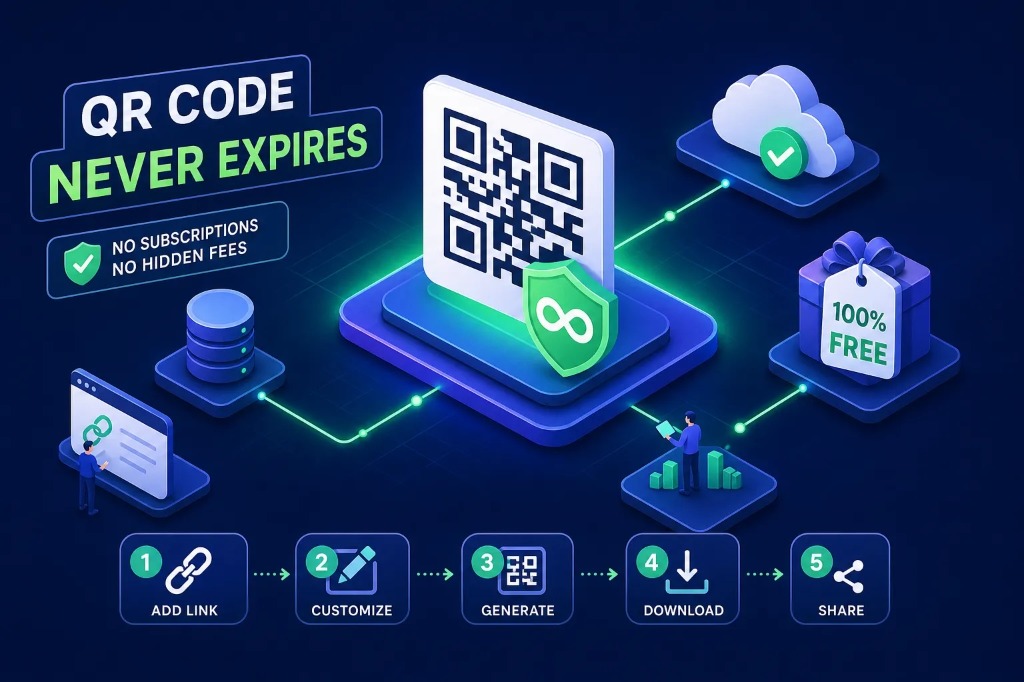
Imagine printing 10,000 product boxes with a QR code that sends customers to your product guide. Six months later, the customer scans the code and the destination is gone, the service has changed its pricing, or the QR platform no longer provides the features you originally relied on.
The printed QR code may look perfectly fine. The problem is what happens behind it.
This is why choosing a QR code generator is about more than creating a nice-looking square image. For product packaging, signage, restaurant menus, labels, equipment manuals, business cards, and other printed materials, the more important question is:
Will the QR code continue working years after it is printed?
Permanent QR Codes is built around that exact use case. Our model uses a one-time purchase pricing structure for editable dynamic QR codes rather than requiring an ongoing monthly subscription. We currently list a $49 one-time price per editable QR code (with bulk packages starting as low as $10/code), including unlimited scans, editable destinations, analytics, custom branding options, and high-resolution vector exports.
This guide explains why QR codes can become unreliable, how static and dynamic architectures differ, and the five practical steps to creating a permanent QR code designed for long-term physical deployment.
Why QR Codes Stop Working
The QR pattern printed on a box, label, poster, or business card is not usually what fails. Under the international ISO/IEC 18004 specification, a QR code symbol is an open-standard 2D optical matrix. It contains no battery, no digital clock, and no expiration timer. If you stamp a QR code onto stainless steel or archival cardboard, the physical pattern remains optically decodable for decades.
The breakdown occurs in the software architecture:
- ·Static QR codes: The final destination URL is embedded directly into the matrix. The code communicates straight from the smartphone camera to the destination server without any intermediary.
- ·Dynamic QR codes: The printed code points to an intermediary redirect URL, which in turn forwards the scanner to the current target page.
That means a dynamic QR code depends entirely on the server infrastructure behind it.
The Redirect Layer Most People Never See
With a dynamic QR code, the visible pattern is only part of the system. A typical flow looks like this:
That extra gateway layer makes dynamic QR codes extraordinarily versatile: you can change a seasonal URL, correct a broken typo, or replace an outdated PDF manual without reprinting a single physical label.
However, it also means the provider matters. For a QR code printed on a temporary event flyer, hosting stability is a minor consideration. But for a product package or industrial asset that will remain in circulation for 3 to 10 years, choosing a subscription-dependent provider becomes a major financial and operational liability.
Subscription QR Codes vs. Permanent QR Codes
Major QR and link-management platforms operate on contrasting business models:
- · Bitly: Combines URL shortening and QR codes inside recurring tiered plans (Core, Growth, Premium). Pricing scales monthly, with strict quotas on how many QR codes you can generate and how many redirects are processed each month.
- · Flowcode: While Flowcode states its codes do not expire, access to essential management features, editing tools, and custom redirects is locked behind paid subscriptions. Downgrading an account can cause excess codes to be archived or redirected to generic landing pages.
- · QRCode Monkey: A popular free generator for static QR codes. Because QRCode Monkey stores data directly in the matrix, the code is permanent and free. However, destination URLs cannot be edited post-print; updating a URL requires generating, distributing, and printing a new code.
None of these platforms is inherently wrong—they simply solve different problems. The key is matching the commercial model of your QR code to the lifespan and physical permanence of your printed material.
Static vs. Dynamic vs. Permanent QR Codes
Before choosing a generator, it helps to understand the three architectures available today:
1. Static QR Codes
A static QR code stores the destination URL or plain text directly in the black-and-white pixel arrangement. Because there is no intermediary redirect server, static codes are naturally durable and completely free of recurring hosting costs. The tradeoff is rigidity: once printed, you can never change the URL, fix a broken link, or view scan analytics. If the destination website changes domains, the printed code becomes a permanent dead end.
2. Traditional Subscription Dynamic QR Codes
Dynamic QR codes route through a hosted shortlink, allowing you to edit the destination URL at any time and track scan metrics. However, traditional SaaS providers charge $15 to $50 per month. If your marketing department cancels the subscription, your credit card on file expires, or company priorities shift, the redirect gateway shuts down. Every physical item printed with that code stops working immediately.
3. Permanent Dynamic QR Codes
Permanent dynamic QR codes combine the post-print flexibility of dynamic routing with the permanence of a pay-once structure. Permanent QR Codes provides permanent redirect hosting, unlimited scan volume, post-print URL editing, and vector asset downloads for a single one-time payment ($49 single, or $10–$25 in bulk).
Architecture Comparison: QR Code Lifespan & Costs
| Feature / Dimension | Free Static QR | Subscription Dynamic | Permanent Dynamic |
|---|---|---|---|
| Editable Post-Print | No (Hardcoded) | Yes (Via SaaS login) | Yes (Via Dashboard) |
| Risk of Subscription Expiry | Zero (No server) | High (Stops if unpaid) | Zero (Pay once, keeps working) |
| Scan Limits | Unlimited | Often capped (1k–10k/mo) | Unlimited scans forever |
| 5-Year Total Cost | $0 | $900 – $3,000+ | $49 one-time payment |
| Vector File Exports | Often raster PNG only | Usually paid plans only | SVG, PDF, EPS & PNG included |
| Best Fit | Wi-Fi logins, plain text | Short marketing promos | Packaging, signage, manuals |
The takeaway is straightforward: a permanent QR code does not have to mean a static QR code. You can maintain an editable dynamic QR code without tethering its operational survival to an endless monthly invoice.
The 5 Steps to Set Up a Permanent QR Code
Follow these five steps before committing to a commercial print run:
Step 1: Decide Whether You Need Static or Dynamic
Start with the digital destination rather than the visual design. Ask yourself one fundamental question: Will this destination ever need to change?
If the answer is truly no—for example, a fixed guest Wi-Fi network configuration or an unchangeable serial number—a plain static QR code made with any free tool may be sufficient. But if the code is linking to a restaurant menu, user guide, warranty portal, or product catalog, choose a dynamic QR code. Even if your website URL doesn't change today, content structures change, documentation moves, and companies rebrand. Having destination flexibility protects your physical investment.
Step 2: Check What Happens After You Stop Paying
This is the single most overlooked trap in QR code procurement. Before generating a barcode that will be stamped on 10,000 product boxes, inspect the provider's terms of service and billing policies:
- Is there a mandatory monthly or annual recurring charge to keep redirects online?
- What happens if a corporate credit card expires or the account is downgraded?
- Does destination editing lock down immediately upon cancellation?
- Are scan volumes capped with surprise overage charges or throttling?
- Does the provider insert intermediate ads or redirect excess traffic to their own brand?
The beauty of a one-time purchase model is absolute budget clarity. At Permanent QR Codes, you pay once per code. There are no renewal reminders, no surprise rate hikes, and no risk of your codes being held hostage behind an unpaid subscription.
Step 3: Choose a QR Provider Designed for Long-Term Physical Assets
Many QR tools were built by growth marketing SaaS startups optimized for short digital campaigns and weekly churn metrics. But physical assets have lifespans measured in years:
- ·Packaging: Stored in warehouses, retail distribution centers, and consumer pantries for 12–36 months.
- ·Industrial Machinery: Equipment plates remain in factories and job sites for 5–15 years.
- ·Signage & Exhibits: Metal plaques, park signs, and museum installations operate for decades.
When the physical item outlives the typical software subscription, choose infrastructure built specifically for permanence: pay once, keep the code permanently, and retain dashboard editing privileges indefinitely.
Step 4: Download Production-Ready Vector Files
Never treat the exported graphic as an afterthought. Commercial prepress workflows require high-fidelity vector formats:
- ·SVG & EPS: Mathematically defined vector curves that scale infinitely without pixelation, blur, or anti-aliasing artifacts. Essential for commercial offset packaging, silkscreening, and laser etching.
- ·High-Res PDF: Ideal for direct integration into Adobe Illustrator, InDesign, or prepress RIP software.
- ·PNG (300+ DPI): Suitable for web previews or small office printers, but not recommended for precision packaging runs.
Permanent QR Codes includes SVG, EPS, PDF, and PNG vector exports by default. We recommend establishing a strict digital asset management folder:
Step 5: Test the Physical Print Before Mass Production
A barcode that scans effortlessly on an OLED computer monitor can still fail when stamped on cardboard or curved plastic. Before running 10,000 units through a commercial press, run a physical press proof and test:
- Multiple Operating Systems: Test using both recent and older iPhone (iOS Camera) and Android (Google Lens / native camera) devices.
- Substrate & Finish: Glossy laminates can create glare that blinds camera sensors; verify contrast on both matte and glossy finishes.
- Curved Packaging: Bottles, cans, and tubes warp the square matrix; ensure the QR code curves minimally or sits on a flat panel.
- Quiet Zone: Confirm an unobstructed white border (at least 4 modules wide) surrounds the code on all sides.
- Redirect Speed: Ensure the landing page loads rapidly over both 4G/5G cellular data and Wi-Fi.
Direct Competitor Comparison: Bitly, Flowcode, and QRCode Monkey
When buyers research non-expiring QR solutions, three services frequently appear. Here is how they compare against the Permanent QR Codes model:
Bitly
Bitly is an established enterprise URL shortener with added QR code features. However, its business model is strictly monthly SaaS. If your business only needs durable QR codes on packaging or brochures, paying Bitly $35/month ($420/year) indefinitely makes little financial sense. Permanent QR Codes delivers the same dynamic URL routing and scan tracking for a flat, one-time payment.
Flowcode
Flowcode highlights proprietary circular designs and states that printed codes do not expire. However, their terms stipulate that access to advanced analytics, editing tools, and custom branding is tied to an active subscription. Once a paid plan lapses, accounts revert to basic free tiers, and excess active codes can be archived or rerouted. For permanent product deployments, true ownership without recurring billing remains the safer route.
QRCode Monkey
QRCode Monkey is an excellent free tool for static codes. Its interface generates clean barcodes without watermarks. However, its own documentation makes it clear: the data is burned directly into the pattern. If you print a URL that later changes, you cannot edit it. You must reprint. For simple, temporary items, QRCode Monkey is great; for high-value print packaging that requires editable safety, a permanent dynamic solution is essential.
Where Permanent QR Codes Make the Most Sense
A one-time purchase dynamic QR code is especially compelling across five primary physical applications:
- · Product Packaging & Labels: Connect consumers to setup manuals, warranty registration, compliance certificates, or video tutorials. When packaging remains in customer homes for years, the digital experience can evolve without reprinting boxes.
- · Restaurant & Hospitality Menus: Menus printed on acrylic table tents or wooden stands can remain in place while the kitchen updates seasonal dishes, pricing, or wine lists behind the scenes.
- · Equipment & Machinery Tags: Industrial manufacturers can rivet anodized aluminum QR tags to machinery linking to maintenance logs, safety data sheets (SDS), and parts catalogs.
- · Digital Business Cards: Networking cards printed with an editable permanent QR code ensure that changing phone numbers, job titles, or company websites never invalidates your printed cards.
- · Permanent Architectural & Retail Signage: Directional plaques, window decals, and store displays can be updated for new promotions or operating hours without expensive physical replacements.
Alternative Resources in the One-Time QR Space
As businesses push back against software subscription bloat, the one-time QR model has gained significant traction.
The underlying philosophy across both platforms is identical: physical materials should not be treated like rented software subscriptions. When you print a code on a physical asset, your ownership of that link should be permanent.
Create Your Permanent QR Code Today
Pay once, keep it forever. Get fully editable destinations, unlimited scans, real-time analytics, and print-ready vector files for just $49 with zero monthly fees.
The Bottom Line
Choosing a QR code generator isn't just about creating an image for your graphic designer—it's about managing business risk. When you invest thousands of dollars into packaging, signage, or printed collateral, the QR code is the digital gateway connecting your physical product to your brand.
Remember the five golden rules before going to press:
- Choose the right architecture: Static for unchangeable plain data; dynamic for long-life editable destinations.
- Audit the provider's billing: Avoid SaaS platforms that brick your printed codes when a monthly card fails.
- Align lifecycles: Match software hosting permanence to the real-world lifespan of your physical product.
- Export vector graphics: Insist on scalable SVG, EPS, or PDF vector assets for commercial printing.
- Proof the physical print: Test real scans on multiple devices, lighting environments, and packaging finishes.
By following these steps, you turn a QR code from a fragile marketing afterthought into a dependable, long-term asset for your business.
Frequently Asked Questions
Does 'permanent QR code' mean the destination website can never be changed? ▼
No. While a static QR code hardcodes the URL into the matrix pattern and cannot be edited, a permanent dynamic QR code uses a permanent redirect layer. This means you can update the destination URL anytime in your dashboard without reprinting the code.
What happens to my QR code if I don't pay an ongoing monthly subscription? ▼
With Permanent QR Codes, there are no monthly fees. You pay a single one-time purchase fee ($49 per code, or lower with bulk packages), and the redirect remains active permanently with unlimited scans. Unlike SaaS platforms like Bitly or Flowcode, your code will never be archived, throttled, or broken due to a lapsed subscription.
Can I use a free QR code generator like QRCode Monkey for packaging? ▼
QRCode Monkey creates static QR codes for free, which never expire because they contain the raw URL in the pattern. However, if your website structure changes, your domain moves, or you need to update a manual, a static code cannot be updated—forcing an expensive packaging reprint. For physical packaging, permanent dynamic codes are recommended.
Which file format should I send to my commercial printer? ▼
Always use vector formats such as SVG, PDF, or EPS. Vector graphics scale infinitely to fit billboards or shrink to fit pill bottles without blurriness or pixelation. Standard raster PNGs should only be used for quick digital previews or small mockups.
How does Permanent QR Codes compare to Bitly and Flowcode? ▼
Bitly and Flowcode operate on recurring monthly/annual subscription tiers. If you cancel your plan, Bitly deactivates redirects or limits monthly scans, while Flowcode restricts management and archives excess codes. Permanent QR Codes charges once for permanent hosting with zero recurring billing, making it specifically optimized for physical assets that outlive software subscriptions.